
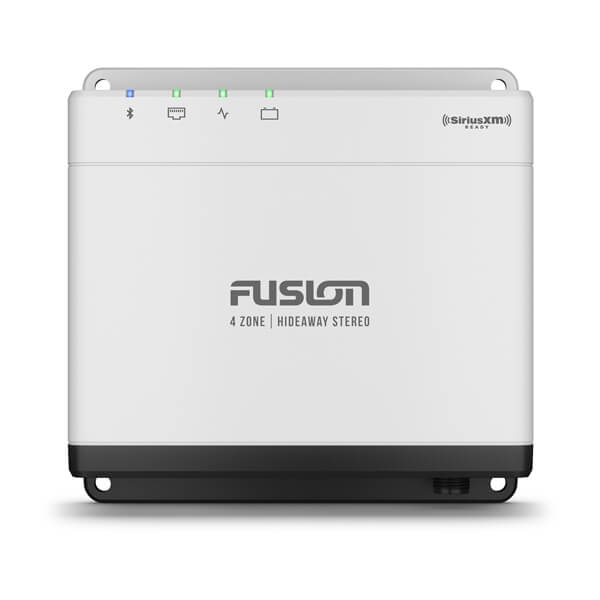
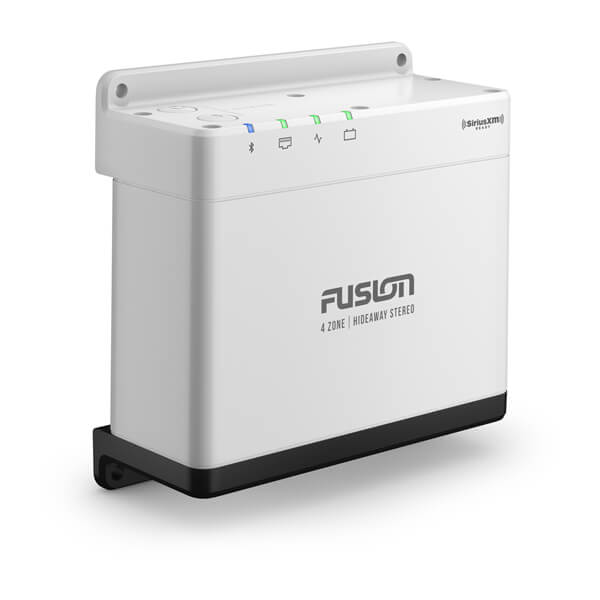
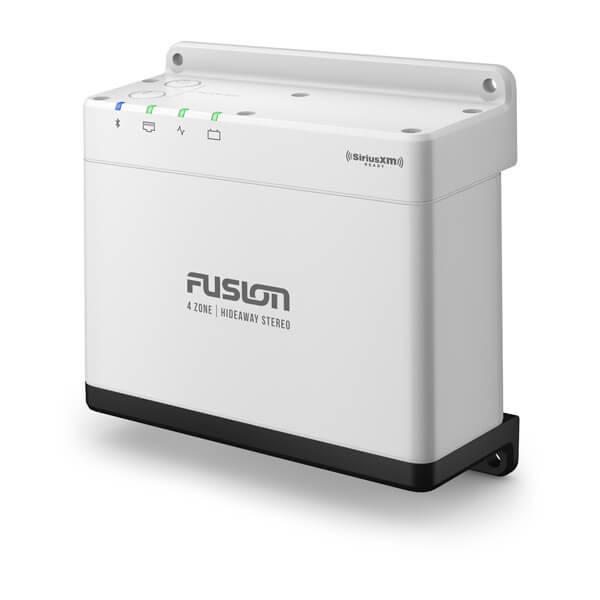


Fusion Apollo™ MS-WB675 Marine Hideaway Stereo

SKU: 010-02346-50

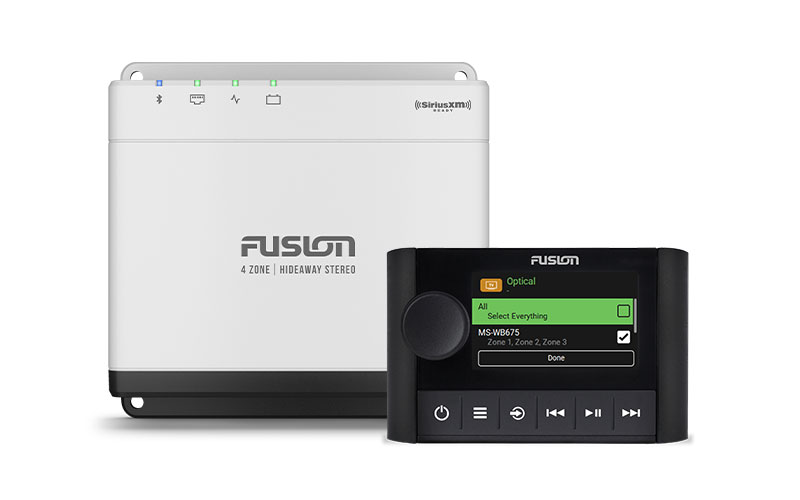
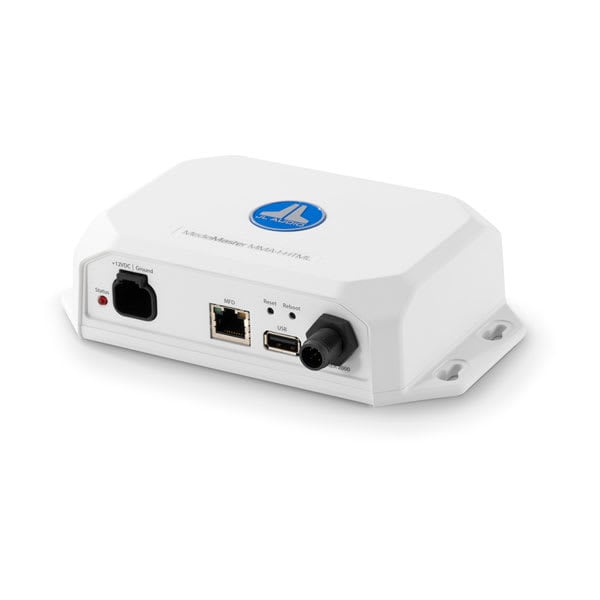
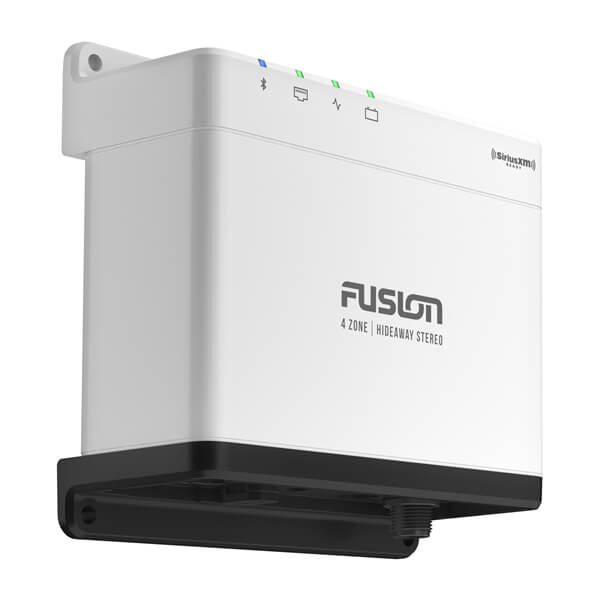
Fusion MS-WB675 is a compact hideaway stereo that features superior audio quality, four separate audio zones, and audio streaming with Apple AirPlay® 2.

$499.99

16 People watching this product now!

Payment Methods:

AMPLIFY THE MOMENT

The Apollo WB675 marine hideaway stereo is compact in design but still offers superior audio quality in up to four separate audio zones that you can control.

Custom audio profiles for each zone on your boat deliver superior quality audio.
Audio streaming with Wi-Fi® technology provides high-quality audio with a faster data transfer rate1.
Experience seamless high-quality audio streaming from your music app via the AirPlay® 2 software feature1.
Enjoy the freedom of musical choice with PartyBus™-Network technology1.
Multi-Zone™ Technology gives you control of up to four separate audio zones.
Control your music from your compatible multifunction display (MFD), smart device or Garmin smartwatch.
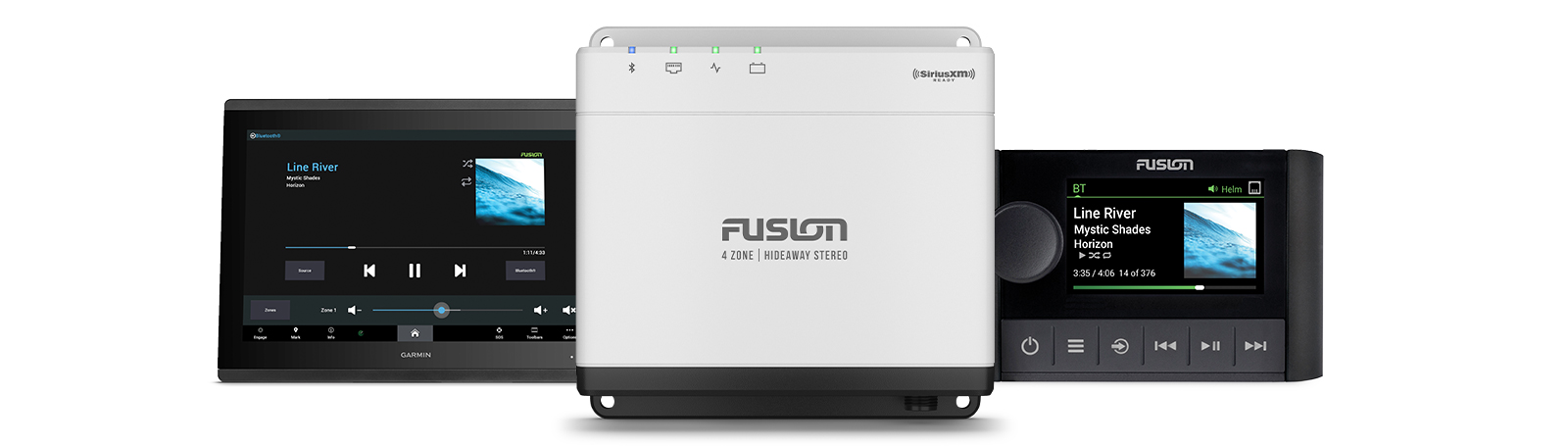
Fusion Apollo™ MS-WB675 Marine Hideaway Stereo

DESIGNED AND ENGINEERED TO FUSION® TRUE-MARINE™ STANDARDS

Built on the True-Marine design philosophy from Fusion®, the Apollo WB675 stereo has been tested to a high level of protection against salt fog, temperature, vibration and UV.

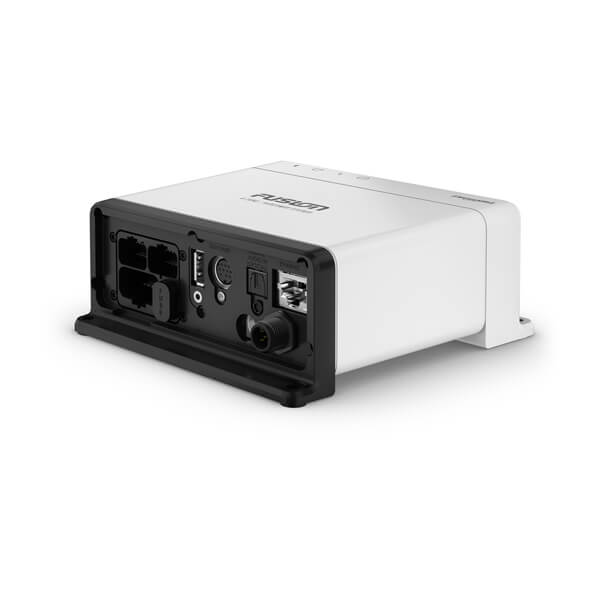
Designed to save space at the helm, Apollo WB675 can be hidden away in the dash or mounted in a variety of areas such as storage lockers, inside helm consoles and other concealed compartments.

With your stereo connected to an NMEA 2000® network with an appropriate speed sensor installed, selecting Speed vs. Volume from the stereo’s settings menu enables audio volume to be automatically adjusted based on your boat’s speed. Faster = louder; slower = lower volume. Compatible speed sources include speed over ground, speed through water, engine RPM or wind speed.

Superior sound quality in every environment.

Superior sound quality in every environment.

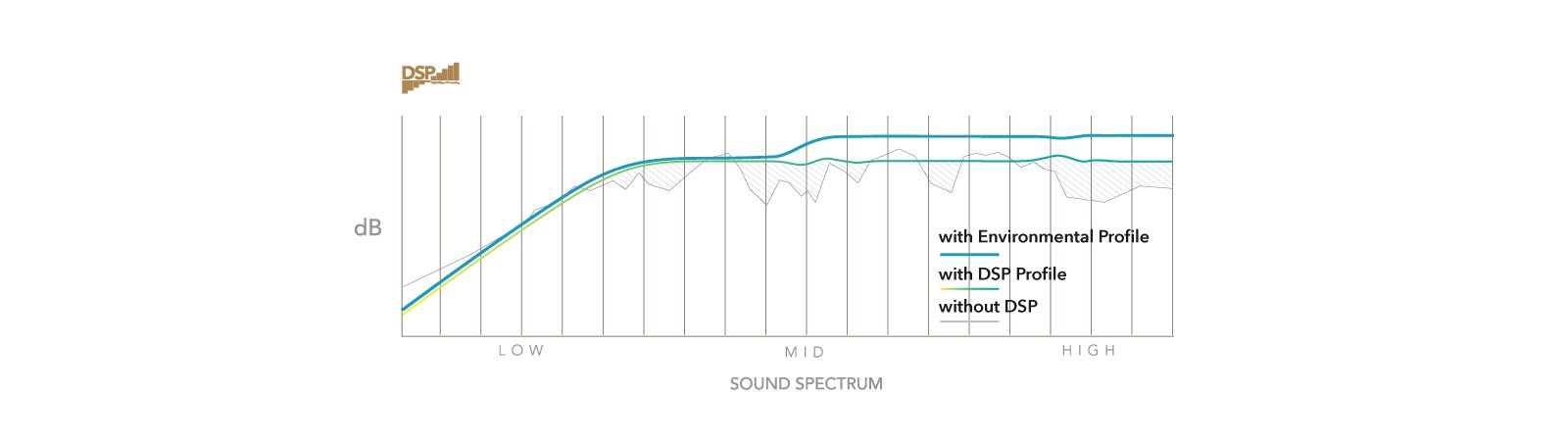
FUSION DIGITAL SIGNAL PROCESSING (DSP)

A technically superior listening experience made simple, Fusion DSP optimizes the audio signal delivered to your Fusion system to produce superior sound quality at all volume levels, in every listening environment.

With just a few clicks on your compatible smartphone, setting up your DSP profiles is made simple with the free Fusion Audio app. You can set up the preconfigured DSP profiles once and enjoy listening to high-quality audio customized for your ears and the environment.

Ethernet for Wi-Fi connectivity.

Ethernet for Wi-Fi connectivity.

GAIN WI-FI CAPABILITIES

Connect your Apollo WB675 stereo via Ethernet to your wirele

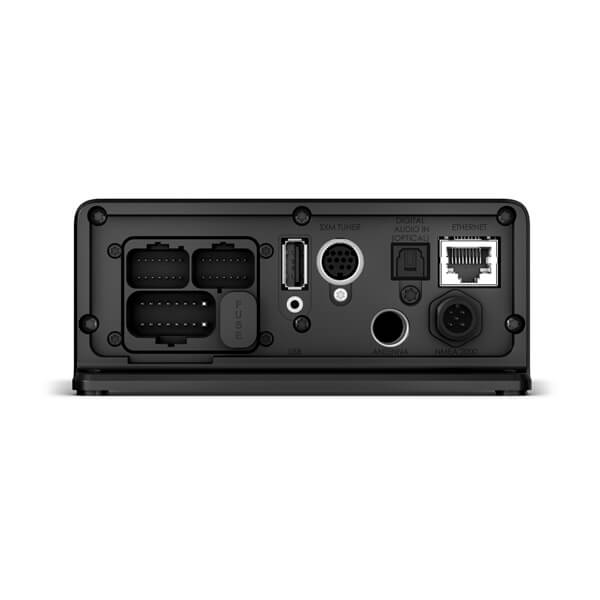
Connect your Apollo WB675 stereo via Ethernet to your wireless network router, Garmin MFD or Apollo Series stereo network, and enjoy Wi-Fi audio streaming and over-the-air software updates1.

Enjoy the clarity and premium quality of audio streaming wit

Enjoy the clarity and premium quality of audio streaming with Wi-Fi technology, including the convenience of AirPlay 2 from Apple® and universal plug-and-play (UPnP)1.

Updates are now available from your compatible smartphone or

Updates are now available from your compatible smartphone or device via the free Fusion Audio app. The Apollo Series is intelligently simple and easy to keep up to date1.

Enjoy freedom of musical choice across the entire boat.

Enjoy freedom of musical choice across the entire boat.

STEREO GROUPING

Grouping allows you to link up multiple Apollo Series stereo

Grouping allows you to link up multiple Apollo Series stereos connected to the same network and play the same audio source synchronized across all stereos.

Scroll through available zones on your boat, and enjoy indep

Scroll through available zones on your boat, and enjoy independent volume control, or select ALL volume to adjust a group of stereos at once.

Power options allow you to turn on any connected Apollo Seri

Power options allow you to turn on any connected Apollo Series stereo in standby mode on the PartyBus-Network remotely from another Apollo Series stereo.

Home Zone is the physical zone on board your boat in which the stereo is installed. After adjusting audio in another zone, the stereo defaults to control of the Home Zone after a period of inactivity.

Enjoy more audio source options than ever before.

Enjoy more audio source options than ever before.

FREEDOM OF CHOICE TO LISTEN TO WHAT YOU WANT

Take advantage of the many source options available, includi

Take advantage of the many source options available, including the AirPlay 2 feature1, BLUETOOTH® technology, UPnP1, optical audio, advanced SiriusXM® features, DAB+ radio, AM/FM radio, AUX and USB connections.

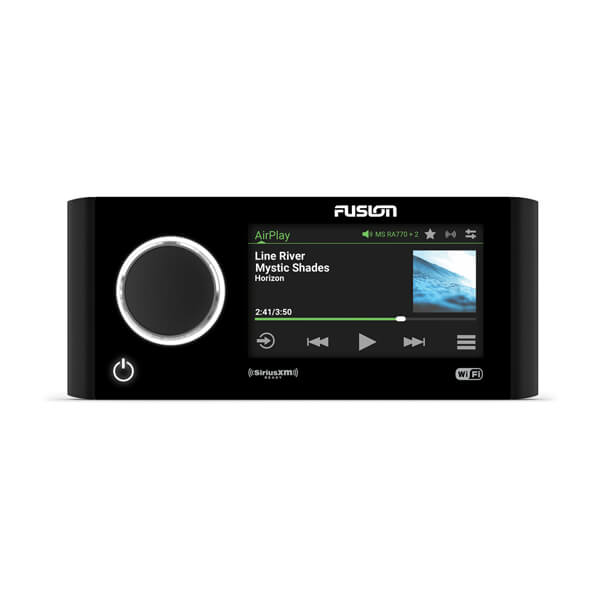
Along with the addition of on-screen album art, a selection

Along with the addition of on-screen album art, a selection of advanced features is now available on SiriusXM.

Enjoy seamless and easy control of your Apollo WB675 stereo.

Enjoy seamless and easy control of your Apollo WB675 stereo.

FULL CONTROL FROM YOUR APOLLO ERX400 REMOTE

Control the Apollo WB675 stereo by connecting your Apollo ER

Control the Apollo WB675 stereo by connecting your Apollo ERX400 wired remote via Ethernet and enjoy the full Apollo user experience including PartyBus-Network functionalities.

Are you looking for a more streamlined system? You can conne

Are you looking for a more streamlined system? You can connect Apollo WB675 to your compatible MFD using an Ethernet or NMEA 2000® network connection without the need for an additional wired remote.

Control up to eight independent audio zones by connecting yo

Control up to eight independent audio zones by connecting your second Apollo WB675 stereo via Ethernet to a router or Ethernet switch (additional stereo sold separately). You’ll be able to control both Apollo WB675 stereos from your Apollo ERX400 wired remote.

Enjoy entertainment control with the Fusion Audio App.

Enjoy entertainment control with the Fusion Audio App.

1Available when connected to a wireless network router, Garmin MFD or Apollo Series stereo network enabled with Wi-Fi technologyWi-Fi is a registered trademark of the Wi-Fi Alliance. AirPlay and Apple are trademarks of Apple Inc., registered in the U.S. and other countries. The Bluetooth word mark and logos are registered trademarks owned by Bluetooth SIG, Inc. and any use of such marks by Garmin is under license. Sirius, XM and all related marks and logos are trademarks of Sirius XM Radio Inc.Engineering enhancements are ongoing and may not be reflected in the pictures, videos and specifications.

0 reviews
0
0
0
0
0

There are no reviews yet.

Be the first to review “Fusion Apollo™ MS-WB675 Marine Hideaway Stereo”

Your email address will not be published. Required fields are marked *

1 2 3 4 5
1 2 3 4 5
1 2 3 4 5

Description

AMPLIFY THE MOMENT

The Apollo WB675 marine hideaway stereo is compact in design but still offers superior audio quality in up to four separate audio zones that you can control.

Custom audio profiles for each zone on your boat deliver superior quality audio.
Audio streaming with Wi-Fi® technology provides high-quality audio with a faster data transfer rate1.
Experience seamless high-quality audio streaming from your music app via the AirPlay® 2 software feature1.
Enjoy the freedom of musical choice with PartyBus™-Network technology1.
Multi-Zone™ Technology gives you control of up to four separate audio zones.
Control your music from your compatible multifunction display (MFD), smart device or Garmin smartwatch.
Fusion Apollo™ MS-WB675 Marine Hideaway Stereo

DESIGNED AND ENGINEERED TO FUSION® TRUE-MARINE™ STANDARDS
Built on the True-Marine design philosophy from Fusion®, the Apollo WB675 stereo has been tested to a high level of protection against salt fog, temperature, vibration and UV.

Designed to save space at the helm, Apollo WB675 can be hidden away in the dash or mounted in a variety of areas such as storage lockers, inside helm consoles and other concealed compartments.

With your stereo connected to an NMEA 2000® network with an appropriate speed sensor installed, selecting Speed vs. Volume from the stereo’s settings menu enables audio volume to be automatically adjusted based on your boat’s speed. Faster = louder; slower = lower volume. Compatible speed sources include speed over ground, speed through water, engine RPM or wind speed.

Superior sound quality in every environment.

Superior sound quality in every environment.

FUSION DIGITAL SIGNAL PROCESSING (DSP)

A technically superior listening experience made simple, Fusion DSP optimizes the audio signal delivered to your Fusion system to produce superior sound quality at all volume levels, in every listening environment.

With just a few clicks on your compatible smartphone, setting up your DSP profiles is made simple with the free Fusion Audio app. You can set up the preconfigured DSP profiles once and enjoy listening to high-quality audio customized for your ears and the environment.

Ethernet for Wi-Fi connectivity.

Ethernet for Wi-Fi connectivity.

GAIN WI-FI CAPABILITIES

Connect your Apollo WB675 stereo via Ethernet to your wirele

Connect your Apollo WB675 stereo via Ethernet to your wireless network router, Garmin MFD or Apollo Series stereo network, and enjoy Wi-Fi audio streaming and over-the-air software updates1.
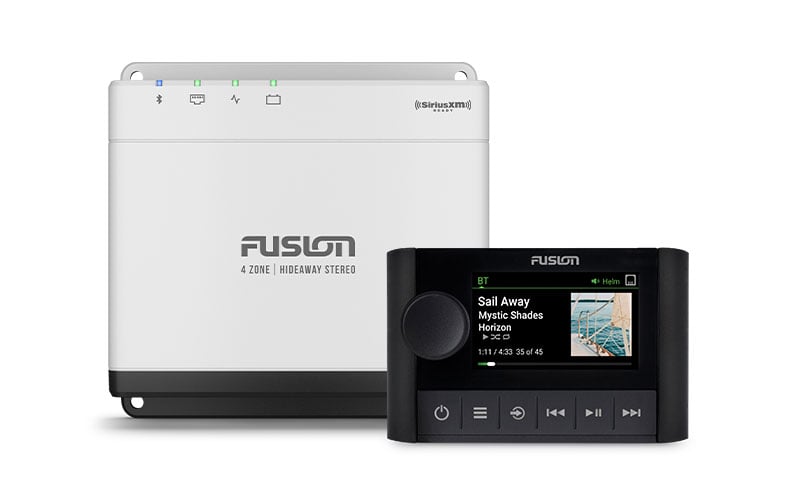
Enjoy the clarity and premium quality of audio streaming wit

Enjoy the clarity and premium quality of audio streaming with Wi-Fi technology, including the convenience of AirPlay 2 from Apple® and universal plug-and-play (UPnP)1.

Updates are now available from your compatible smartphone or

Updates are now available from your compatible smartphone or device via the free Fusion Audio app. The Apollo Series is intelligently simple and easy to keep up to date1.

Enjoy freedom of musical choice across the entire boat.

Enjoy freedom of musical choice across the entire boat.

STEREO GROUPING

Grouping allows you to link up multiple Apollo Series stereo

Grouping allows you to link up multiple Apollo Series stereos connected to the same network and play the same audio source synchronized across all stereos.

Scroll through available zones on your boat, and enjoy indep

Scroll through available zones on your boat, and enjoy independent volume control, or select ALL volume to adjust a group of stereos at once.
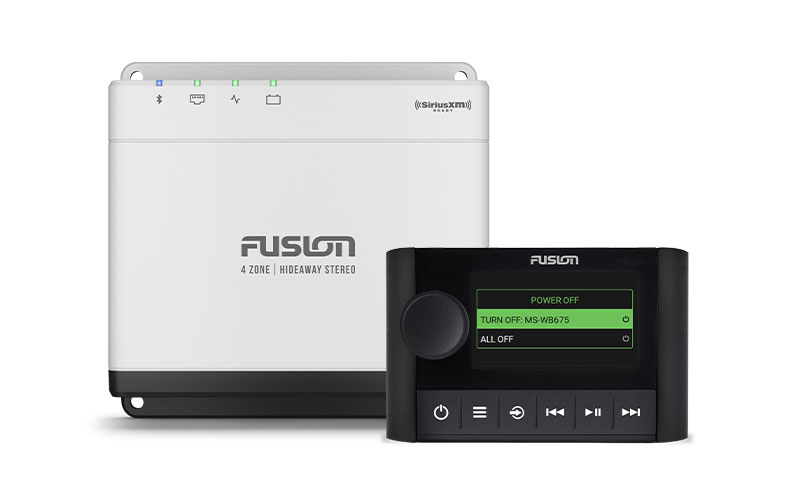
Power options allow you to turn on any connected Apollo Seri

Power options allow you to turn on any connected Apollo Series stereo in standby mode on the PartyBus-Network remotely from another Apollo Series stereo.

Home Zone is the physical zone on board your boat in which the stereo is installed. After adjusting audio in another zone, the stereo defaults to control of the Home Zone after a period of inactivity.

Enjoy more audio source options than ever before.

Enjoy more audio source options than ever before.

FREEDOM OF CHOICE TO LISTEN TO WHAT YOU WANT

Take advantage of the many source options available, includi

Take advantage of the many source options available, including the AirPlay 2 feature1, BLUETOOTH® technology, UPnP1, optical audio, advanced SiriusXM® features, DAB+ radio, AM/FM radio, AUX and USB connections.

Along with the addition of on-screen album art, a selection

Along with the addition of on-screen album art, a selection of advanced features is now available on SiriusXM.

Enjoy seamless and easy control of your Apollo WB675 stereo.

Enjoy seamless and easy control of your Apollo WB675 stereo.

FULL CONTROL FROM YOUR APOLLO ERX400 REMOTE

Control the Apollo WB675 stereo by connecting your Apollo ER

Control the Apollo WB675 stereo by connecting your Apollo ERX400 wired remote via Ethernet and enjoy the full Apollo user experience including PartyBus-Network functionalities.
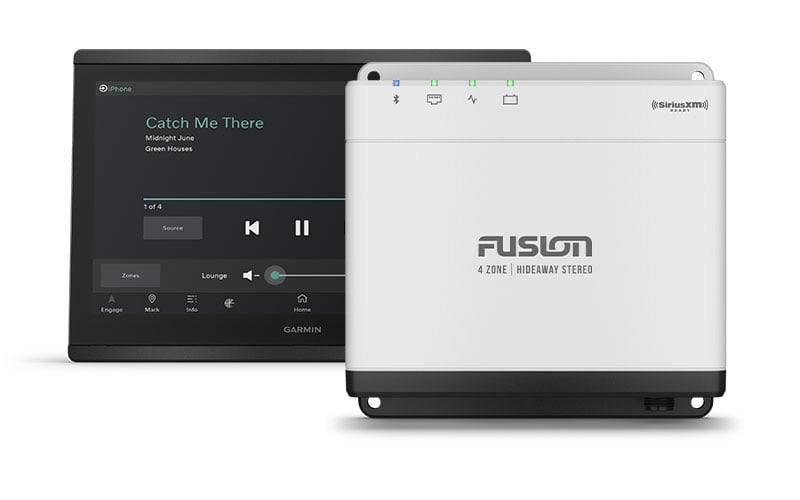
Are you looking for a more streamlined system? You can conne

Are you looking for a more streamlined system? You can connect Apollo WB675 to your compatible MFD using an Ethernet or NMEA 2000® network connection without the need for an additional wired remote.

Control up to eight independent audio zones by connecting yo

Control up to eight independent audio zones by connecting your second Apollo WB675 stereo via Ethernet to a router or Ethernet switch (additional stereo sold separately). You’ll be able to control both Apollo WB675 stereos from your Apollo ERX400 wired remote.

Enjoy entertainment control with the Fusion Audio App.

Enjoy entertainment control with the Fusion Audio App.

1Available when connected to a wireless network router, Garmin MFD or Apollo Series stereo network enabled with Wi-Fi technologyWi-Fi is a registered trademark of the Wi-Fi Alliance. AirPlay and Apple are trademarks of Apple Inc., registered in the U.S. and other countries. The Bluetooth word mark and logos are registered trademarks owned by Bluetooth SIG, Inc. and any use of such marks by Garmin is under license. Sirius, XM and all related marks and logos are trademarks of Sirius XM Radio Inc.Engineering enhancements are ongoing and may not be reflected in the pictures, videos and specifications.

Specification

Overview

Customer Reviews

0 reviews
0
0
0
0
0

There are no reviews yet.

Be the first to review “Fusion Apollo™ MS-WB675 Marine Hideaway Stereo”

Your email address will not be published. Required fields are marked *

1 2 3 4 5
1 2 3 4 5
1 2 3 4 5